How PullVid Works
Paste a link and get the file. If something breaks halfway, you don't start from scratch.
If it cuts out, you don't lose it
The file is prepared on our server, not on your phone. If the screen turns off, you switch apps, or your phone closes the tab, we offer it to you again for 2 hours when you come back. No need to wait all over again. If it keeps cutting out, check the most common causes and how to fix them.
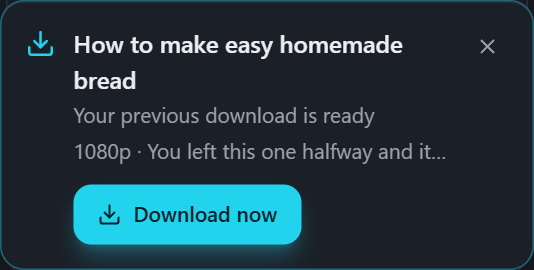
We know if it actually reached you
Almost everyone says "done" the moment they hand off the file. We wait until the bytes actually reach your device, then confirm it. If it cuts out halfway, we tell you and offer it again.

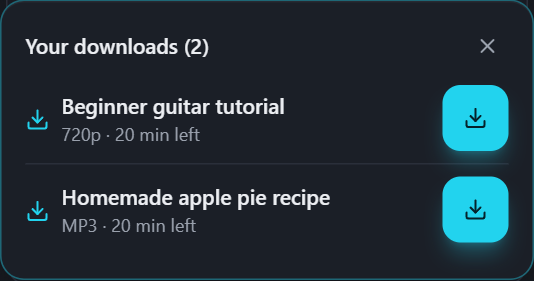
Several at once, without clashing
You can start more than one download. And if you tap another format while one is still on its way, we don't kill it: we just tell you one is already in progress.
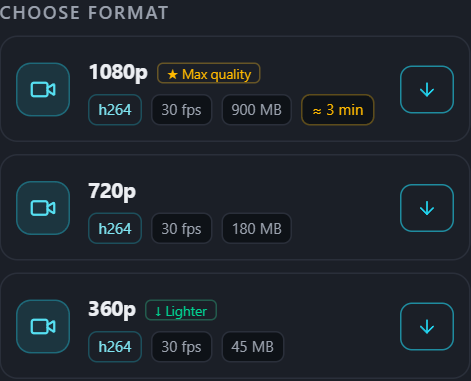
You know how long it'll take before you click
Next to each quality you see the size and, if it's going to take minutes, how many. So you choose with the information in front of you instead of watching a bar with no idea if it's twenty seconds or half an hour.
The file opens on your phone
Some platforms serve video in codecs an ordinary phone can't play. When that happens, we convert it before handing it over. That's the difference between downloading something and actually being able to watch it.
Converting and compressing never uploads your file anywhere
The converter and the compressor run inside your browser, on your own device. Your file never travels to any server — in fact, they keep working even if you lose your connection.
We tell you when it's ready
Go to another tab if you like. We tell you in the tab title and, on a computer, with a notification if you ask for one. On a phone the browser can't give those alerts, so there we email you instead if you ask: we use the address for that one notice and delete it once it's sent. No need to sit and watch.
- Works with no account and nothing to install.
- No watermark on the file.
- Also subtitles, clips, GIFs, photos, and multi-video posts, within a daily fair-use cap — how much and why.